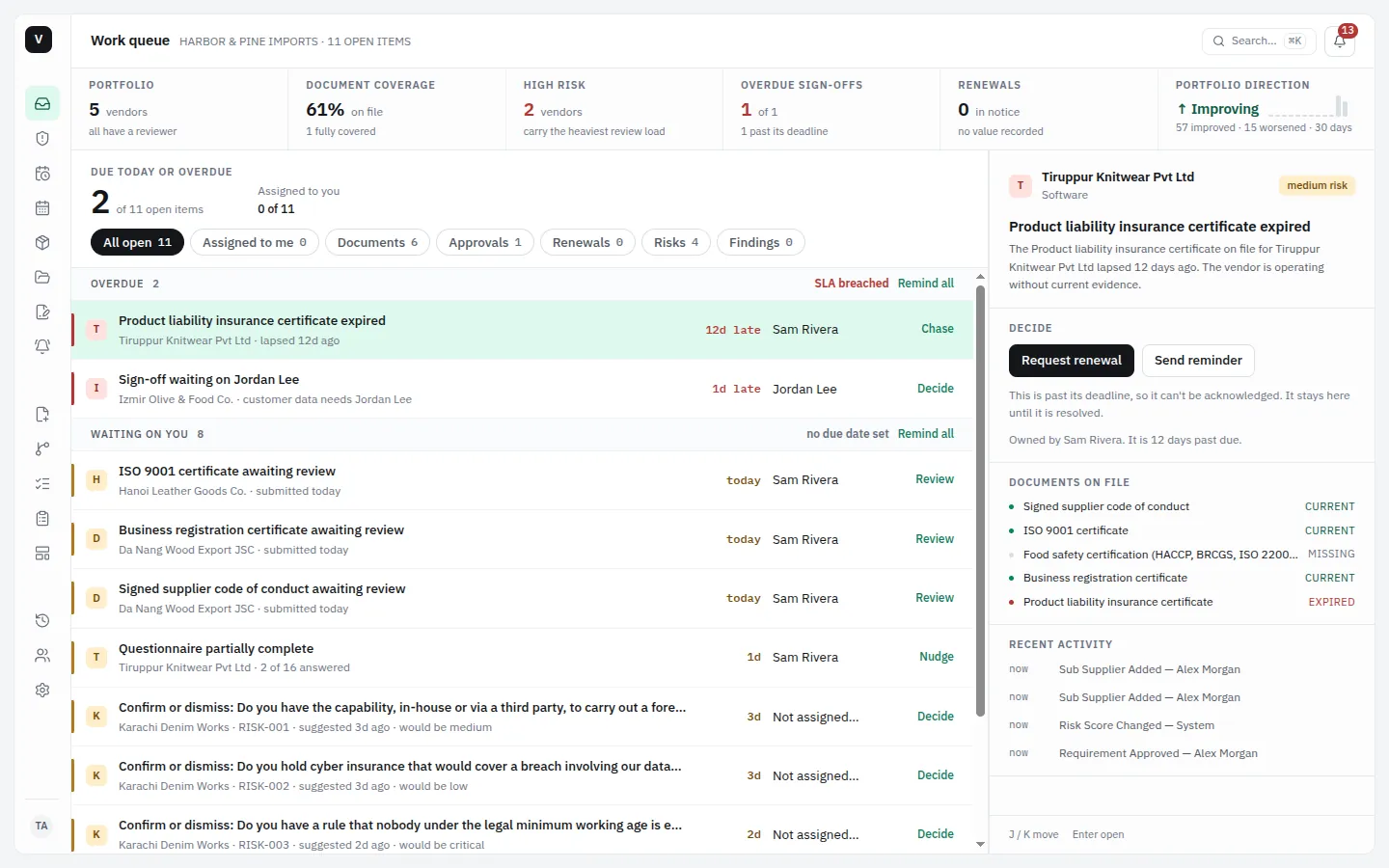
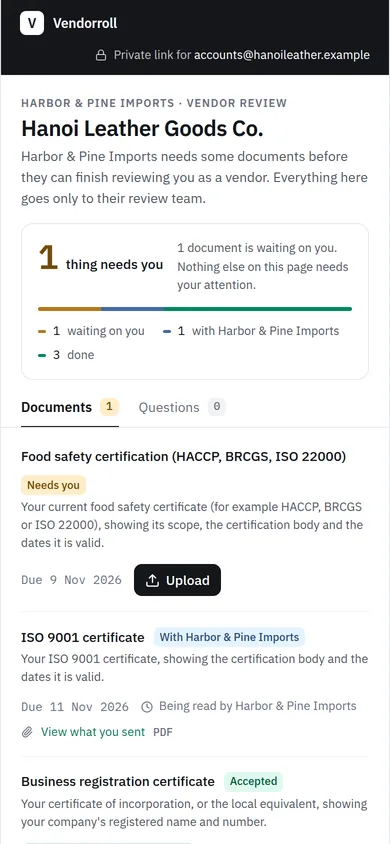
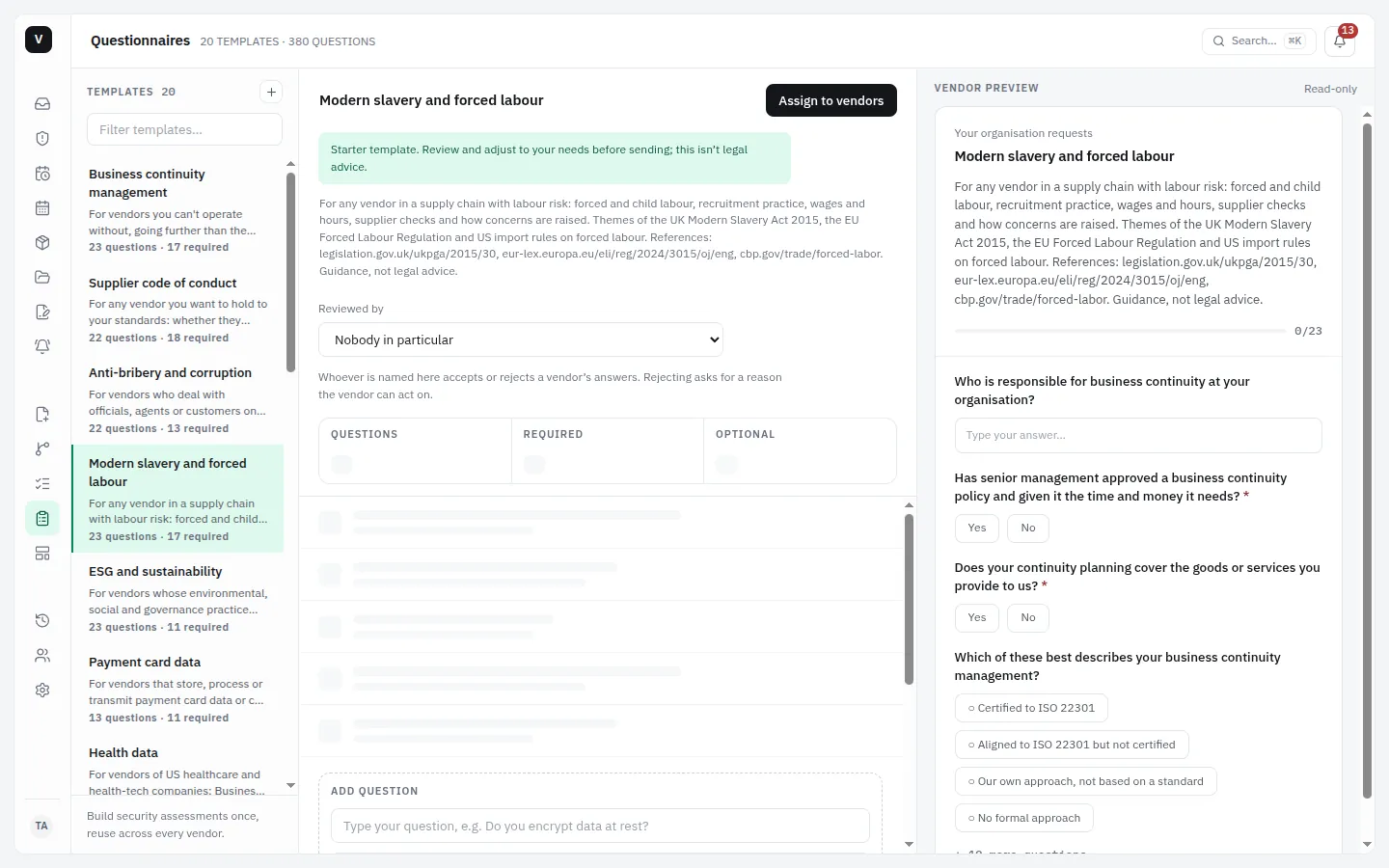
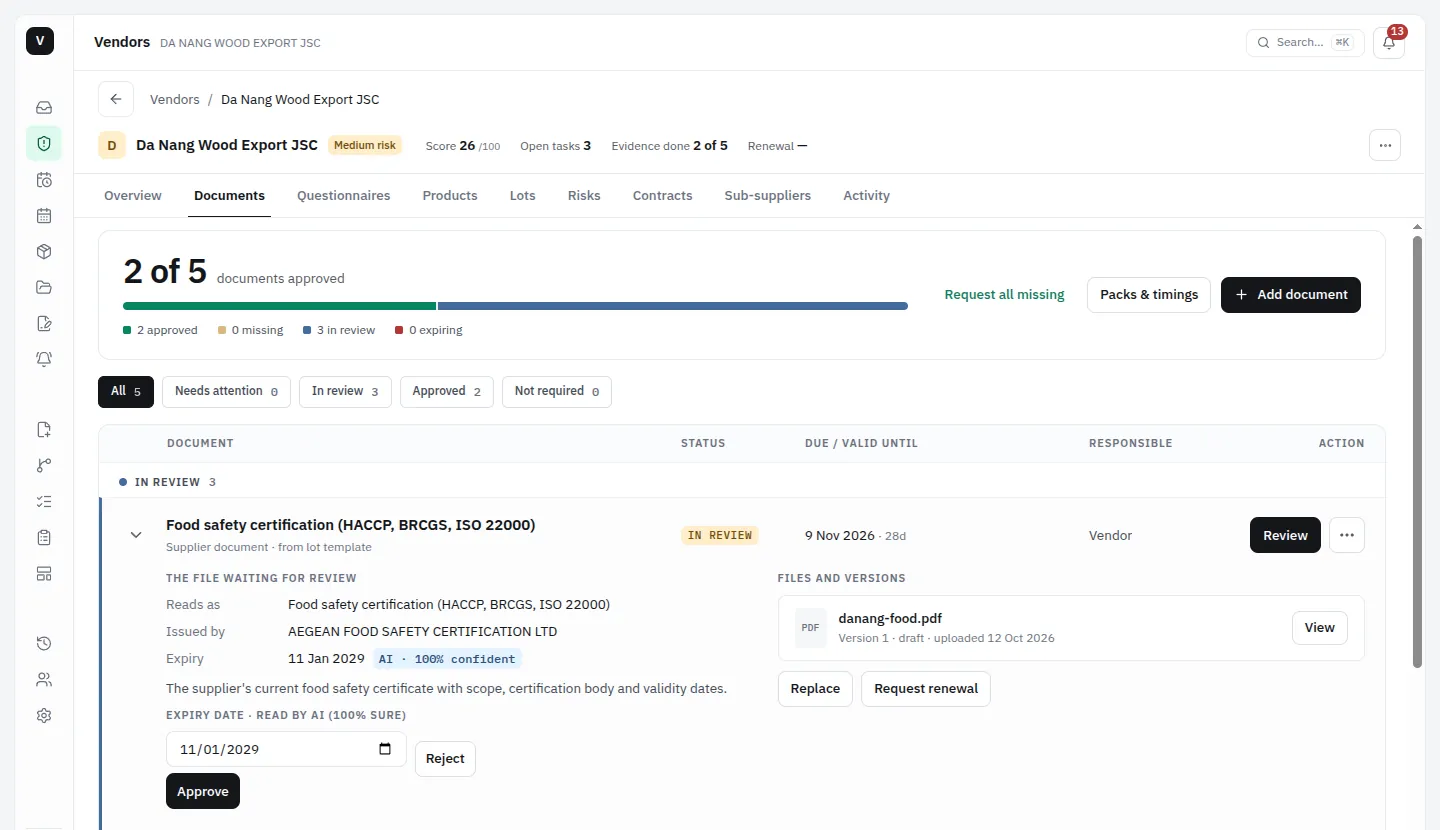
Every supplier document, collected and kept current.
For teams importing into the EU, UK, US and Australia from suppliers around the world. Send each supplier one link. Vendorroll collects the documents, tracks what is due and chases what is missing.
Every team gets full training on Vendorroll, one-to-one, before you go live.
Sample data in a demonstration workspace.
Screens show a demonstration workspace with invented suppliers.
Requirements tagged to the rules your buyers ask about
Every requirement in the library carries tags for the rules it relates to, so you can see which documents answer which rule. Names only. Tags are guidance, not legal advice.
EU
EUDRCBAMEU Forced Labour RegulationCSDDDGPSRREACHRoHSCE markingToy SafetyBatteriesPPWRESPRTextile labellingFood contact materialsConflict minerals
UK
Modern Slavery ActUKCAUK REACHUK CBAMUK Timber Regulation
Modern Slavery ActACL product safetyEESS/RCMBiosecurityIllegal LoggingAICIS
Everywhere
Sanctions lists (EU, UK, OFAC, Australia)Customs and originCode of conduct
Three steps, and the third one is automatic
01
Add a supplier
Name them, pick the packs of documents you need from them, and choose who reviews.
02
They open one link
No account, no password. They upload the file or answer the questions, on a phone or a laptop.
03
Status and reminders run themselves
The register updates as documents arrive, and the follow-ups go out without you.
What it does, in five parts
01
Collect
Each supplier gets one link. They open it on a phone, with no account, and upload the file or answer the questions.
Questionnaire packs you can send as they are or edit
A library of 100 requirements in 13 packs
02
Check
An AI pass reads each document and pulls out the issuer, type and dates. A person confirms what it read.
Approvals with sign-offs, and escalation when one stalls
Audit findings, and a risk register for what the answers raise
03
Keep current
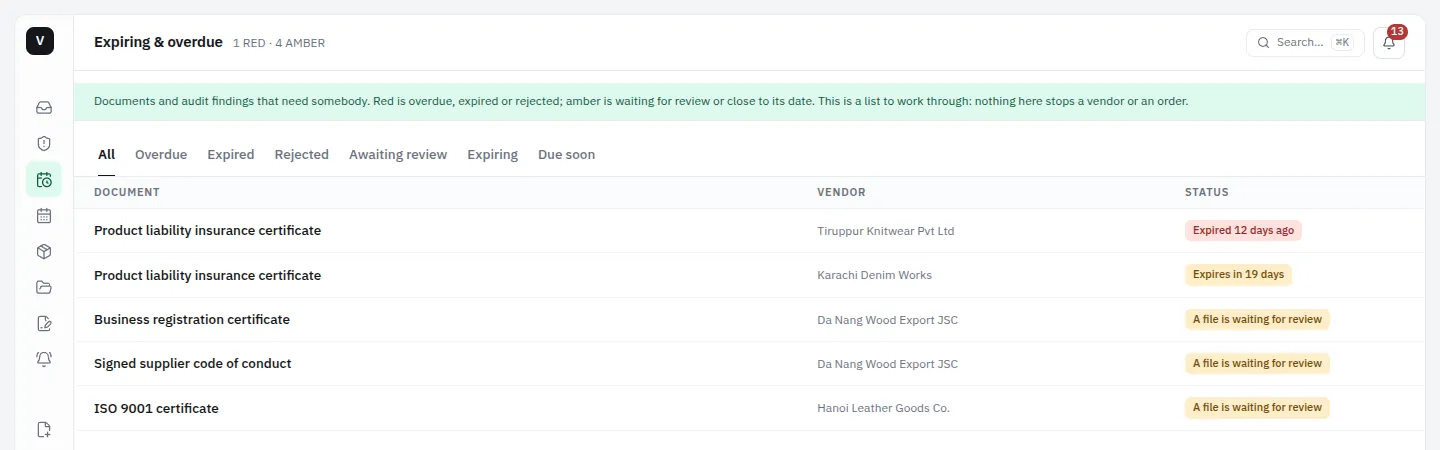
Reminders go out on their own. Documents you hold warn you before they run out. Late items are flagged, never blocked.
Expiring & overdue: one list of everything that needs someone
A calendar feed, so dates reach the calendar you already use
04
Prove
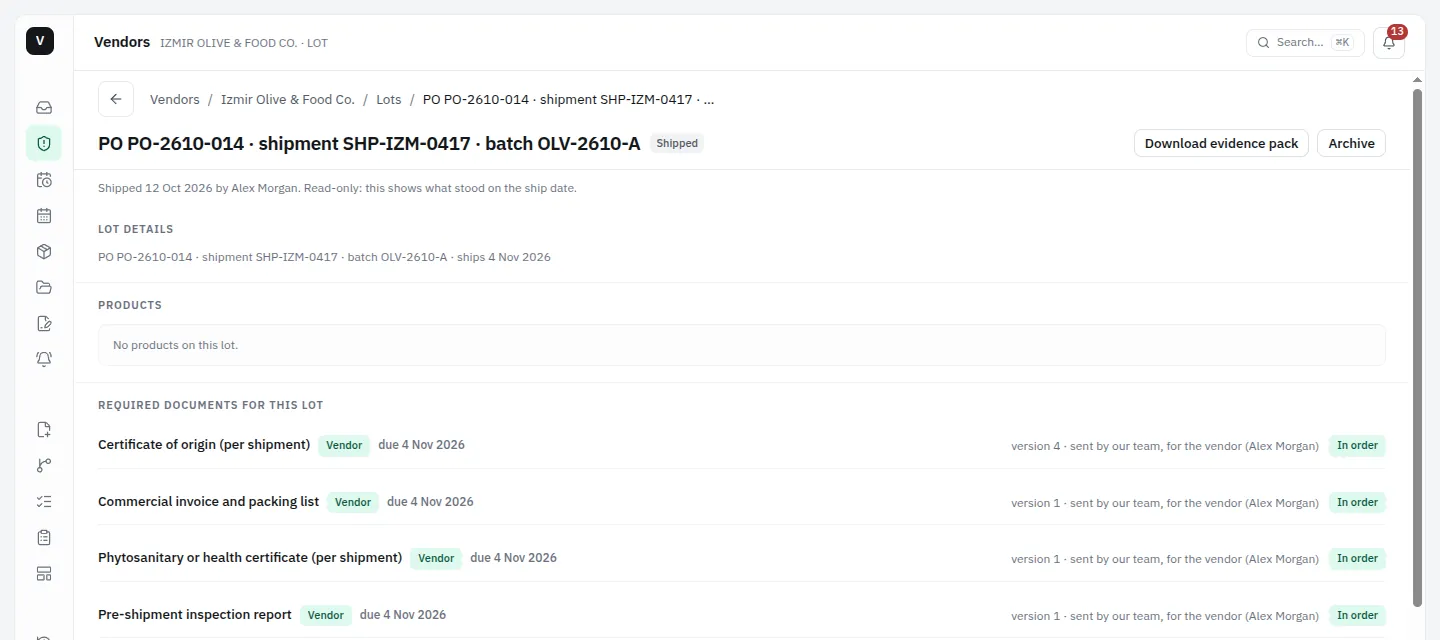
Close a lot and its documents are frozen into an evidence pack you can download as a ZIP.
A due-diligence report for a supplier, as a PDF
An activity log of every action, and CSV export of your records
05
Map the chain
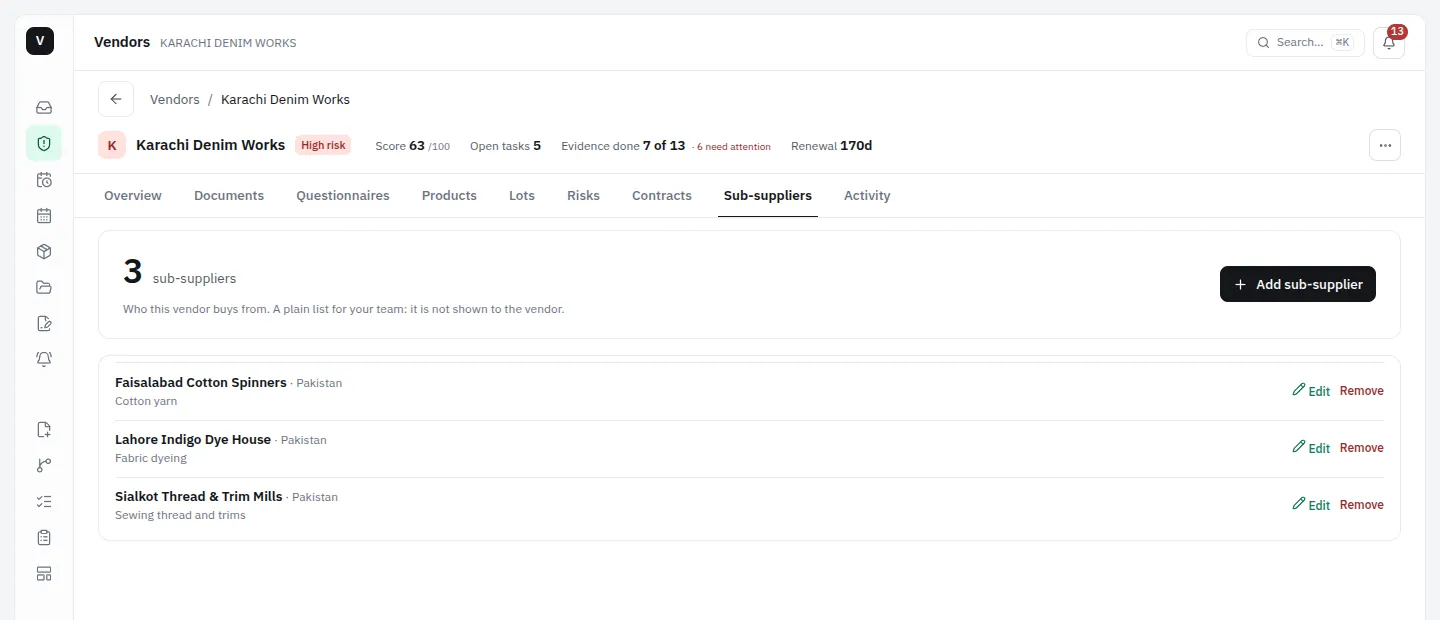
Record who each supplier buys from: the company, its country and what it supplies. Your team sees the whole chain in one place.
Sub-suppliers kept against the supplier that uses them
A factory and site list with subcontractors is one of the documents you can ask for
Ask questions in plain English from Claude or ChatGPT. An assistant can read one workspace, as the person who connected it, and change nothing. See exactly what an assistant can access
Two places to start
Supply-chain packs
For physical goods. A core supplier pack, then packs for textiles, electrical goods, toys, wood and furniture, food, customs and trade, labour rights, governance, chemicals and product safety.
Software and security pack
For software and service vendors: security policies, attestations, data protection and continuity.
Between a spreadsheet and a heavyweight portal
Portals make your suppliers log in. Spreadsheets make you do the chasing. Vendorroll does neither.
Question
Vendorroll
Portal-based tools
Spreadsheet + email
Supplier needs an account
Never
Usually
No
Chasing
Reminders run themselves
Varies by tool
You, by hand
Reading documents
AI reads, a person confirms
Varies by tool
You read each one
Tagged to rules
Requirements carry rule tags
Varies by tool
Your own columns
Expiry dates
Warnings before they lapse
Varies by tool
You keep count
Evidence for a shipment
Lot evidence pack (ZIP)
Varies by tool
You gather files
Sub-suppliers
Recorded per supplier
Varies by tool
A separate sheet
Audit trail
Every action logged
Usually
Only what you write down
Built so a link is not a password
Each supplier link is tied to one supplier in one workspace, and expires if it goes unused.
A link can be revoked at any time, and reissuing one cancels the old one.
Workspaces are separated from each other in the database, with the same checks repeated in the application.
Uploads are limited to PDF, PNG and JPEG and checked before they are kept.
Every plan includes every feature and unlimited team members. 14-day free trial: a card is required, and if you cancel before day 14 you are not charged. Prices in USD; taxes added at checkout where they apply.
The things people ask first
Do our suppliers need an account?
No. They get an email with a link, open it, upload the document or answer the questionnaire, and they are done. No password, no app. The link is tied to that one supplier, expires if it goes unused, and you can revoke it at any time.
What documents can we collect?
Certificates, test reports, insurance, declarations, signed codes of conduct and questionnaires. The library has 100 requirements in 13 packs, and you can add your own.
Which rules are the requirements tagged to?
The list is above, from EUDR, CBAM and the EU Forced Labour Regulation to UFLPA, the UK and Australian Modern Slavery Acts and more. A tag says which rule a requirement relates to. It is guidance, not legal advice, and it does not say a supplier meets the rule.
What happens when a supplier ignores us?
Vendorroll keeps going without you. It sends reminders on a schedule, nudges half-finished questionnaires, warns before documents expire, and tells an admin on your team when a review is overdue. Every message is logged.
What does the AI do, and who checks it?
It reads a document and suggests the issuer, type and dates, and the key terms of a contract. Nothing counts until a person on your team reviews it. Our privacy page names the provider and where it runs.
Can we get our data out?
Yes. You can export your records, including the activity log, to CSV without asking us. Documents stay downloadable in their original format.
Where is our data stored?
Uploaded documents and records are held in Sydney, Australia. The privacy page lists every provider and where it processes data.
How do we get started?
Contact us. We set up your workspace with you, you add your suppliers, and we train your team one-to-one before you go live.